Extract a company stamp from a PDF
Turn the company stamp on a PDF page into a separate transparent PNG. Select the page, mark the area containing the stamp, and prepare an image you can reuse without the rest of the document.
US$7.99 per upload · Final results after payment · No subscription
Try the signature-and-stamp practice PDF
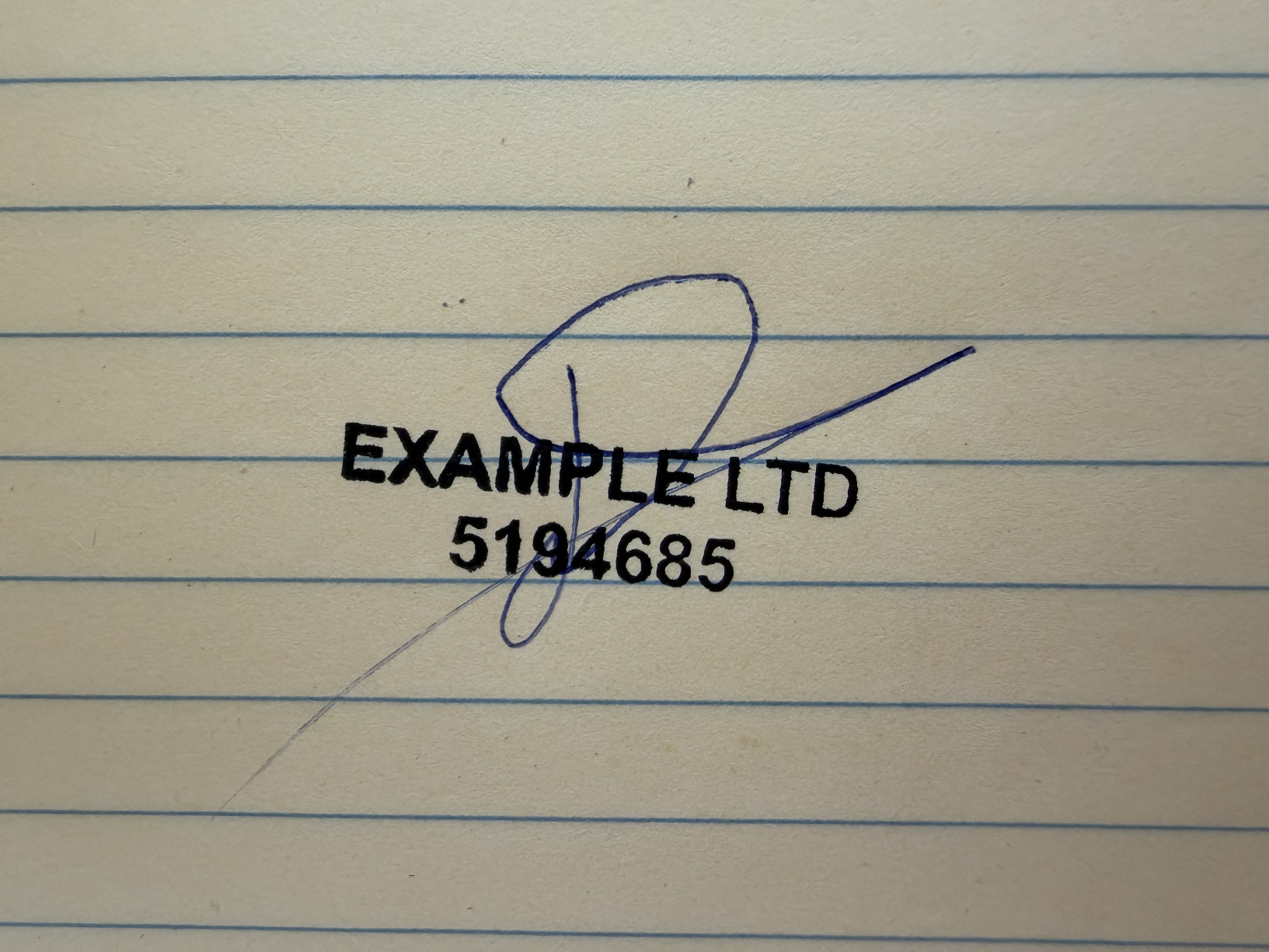
This practice PDF contains the original photo from the test shown on this site. Select the complete signature and company stamp together, leaving a small margin around both.
Crop the stamp without cutting off its border
- Open the studio and sign in. Choose a PDF from your device’s file picker. The file limit is 20 MB.
- Select the page containing the company stamp. Zoom in if the lettering is small.
- Draw a box around the entire stamp, leaving a small margin outside the border. Move the box or its corners until all letters, numbers, and edge details fit.
- If a signature crosses the stamp, include the whole signature too. If nearby body text is separate, keep it outside the box.
- Choose Use selected area. Review the censored previews, then unlock the upload for US$7.99 to prepare the final images.
- Download the stamp as a transparent PNG. If a signature was present, its separate result is included in that upload.
From a document crop to a separate stamp
A real test from the studio
From one photo to two separate images
A handwritten signature crosses a company stamp on lined paper.
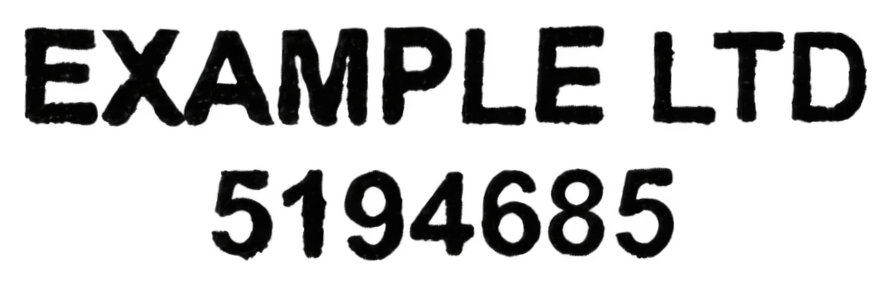
The photo is the same one used in the practice PDF. The separated stamp is the completed result from this test.
Actual completed results from the same upload, shown upright, with the stamp’s text rows leveled. Reconstructed strokes are estimates; compare lettering and handwriting with your original. Images are fitted to each panel for visibility.
Troubleshooting a PDF stamp crop
| What you see | What to do |
|---|---|
| Part of the border is missing | Select the area again with a little more space around the stamp. An output cannot preserve a border that was cut off at the crop stage. |
| Paragraphs appear in the preview | Tighten the crop around the stamp. Keep unrelated page text out unless it physically overlaps the stamp. |
| A signature is still mixed into the stamp | Include both complete marks and use the signature-and-stamp workflow. Same-color crossings may remain uncertain. |
| The stamp looks blurry when enlarged | Use the original PDF rather than a screenshot. If the scan inside the PDF is already blurry, a fresh scan or clean stamp impression is a better source. |
What you receive
The download is a PNG image of the stamp, not an edited copy of the original PDF. You can place that image in software that accepts transparent PNG files. Your original PDF pages remain unchanged.
Before using it, compare every stamp character and identification number with the source. Hidden lettering may be estimated during recovery.
Need the handwriting instead? Read extract a signature from a PDF. Already have a stamp photograph? See stamp background removal.
PDF extraction questions
Can I extract several stamps from a document?
Select one area for each upload. Each selected area is handled as its own upload; this is not a bulk extraction of every stamp in the PDF.
Will the download have a white background?
The stamp download uses PNG transparency. Some image viewers display transparent space on white. Place it over a colored page to check it.
Does this insert the stamp back into my PDF?
No. The studio produces separate images. Insert the downloaded PNG using your document editor.